Save everything. Follow experts. Think with all of it.
Everett is the research assistant that guides you through the sources you choose.
How it works.
Save everything.
Highlight the web. Drop in PDFs. Write notes. Keep anything that might matter.
Follow experts.
Follow blogs and subscribe to Substacks. Read them as you do today — and know that Everett keeps a copy of every post.
Think with all of it.
Ask a question and Everett will give you cited answers, the ideas you're missing and the next question to ask.
Try it (without signing up).
Visit one of the following and ask a question. Don't worry about what to ask; Everett will make some suggestions.
Essays on the evolution of mobile computing, platform economics, and the strategic impact of artificial intelligence.
Analysis of the intersection between geopolitics, macroeconomic policy, and the evolving impact of artificial intelligence.
20 years of collected thinking on how to do “Product” — how to figure out what to build and then how to build it.
People using Everett.
Writers worth following.
Bring your audience and let them ask questions. They get answers and their questions inform what you write next.
Need bearings, fast.
New job. New class. New diagnosis. New life situation. Bring the pile of reading and let Everett help you find your way, fast.
The endlessly curious.
You know who you are. You save everything because it's all connected and one day it will be worthwhile. Everett makes that “one day” now.
Your thinking stays yours.
Everett proposes, you decide.
Everett provides cited answers from everything you bring. It tells you what you know, not what an AI thinks it knows. You think for yourself.
Private by default.
Your library is yours. Questions are answered by AI with zero data retention policies. Writers only get anonymized questions. Everything gets deleted if you cancel.
Free until it's worth it.
Sign up today with no credit card. For people who need more, plans start at $5/month and you can tailor them to saving everything or following experts.
Other tools file your notes.
Everett connects your ideas.

I'm Lindsay Watt and I built Everett.
I've been saving interesting things for 20 years. I'll visit a website and think “I need to remember that.” I'll read a book and take notes of the best passages. I have folders full of PDFs I swore I'd read one day. All of it sitting around unused — scattered across note-taking apps, cloud drives, bookmarking apps and Substacks.
So I built Everett.
Every other app is a filing cabinet — a place where you dutifully file a note and never see it again. At Everett, the save is the start. Everett connects everything you bring and uses this to suggest what to ask and provides cited answers.
No more filing cabinets.
Since I started Everett my thinking is sharper and more creative. I'm sure yours will be too. Reach out and let me know: email me or just book time.

I'm not convinced yet that Everett is for me.
Fair. If you tried the demo and read this far then maybe seeing some of the other things you can do with Everett will give you the confidence to sign up.
It's easy to save anything and follow experts.

Web highlighter
Highlight useful passages in websites as you go — and see them when you come back.
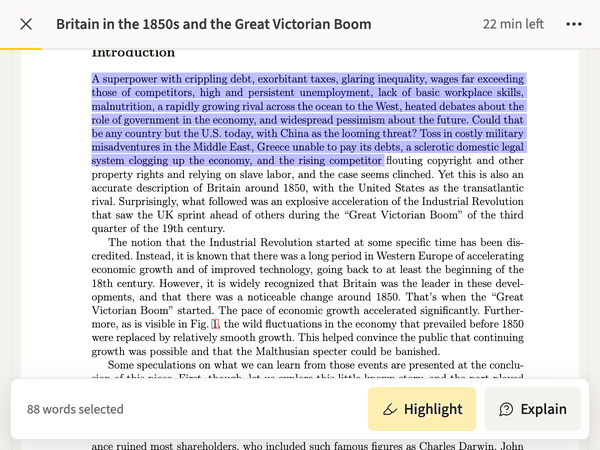
PDF reader
Read PDFs, track progress, highlight passages and get explanations.
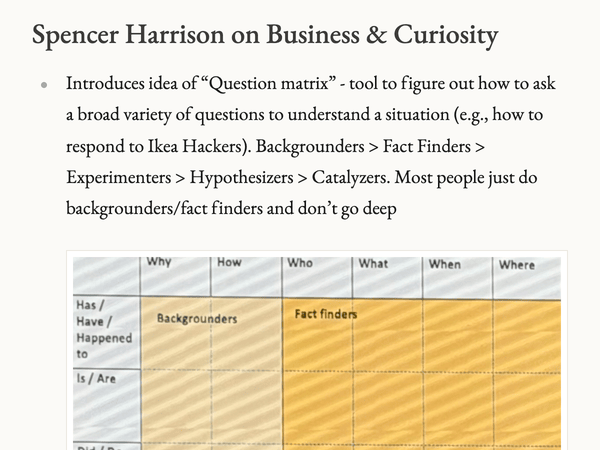
Note writer
Create beautiful notes on anything worth remembering.
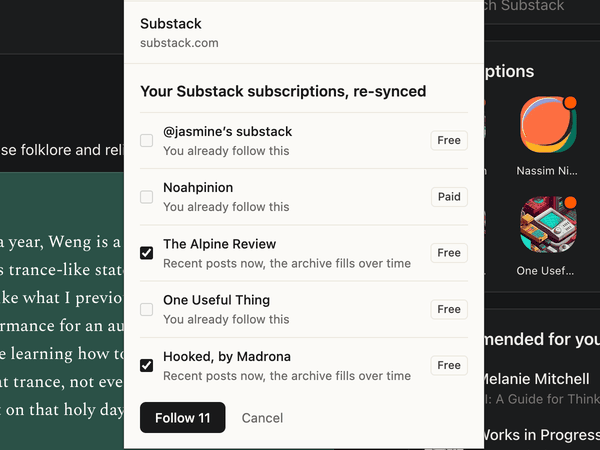
Substack follower
Keep reading your Substacks like you do today and rest assured that you've got a copy to reference later.
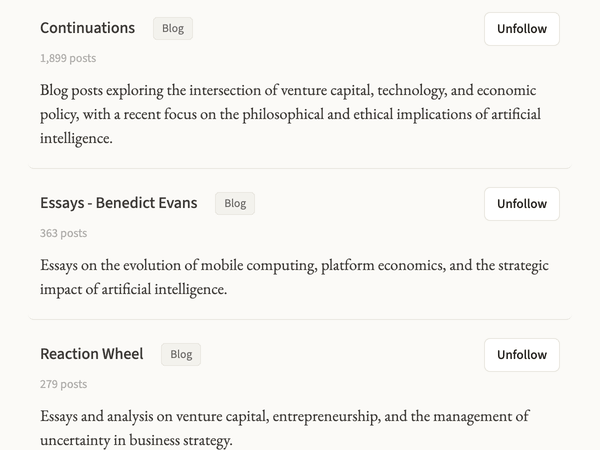
Blog follower
Keep reading blogs as usual and know that you've got a copy to reference later.
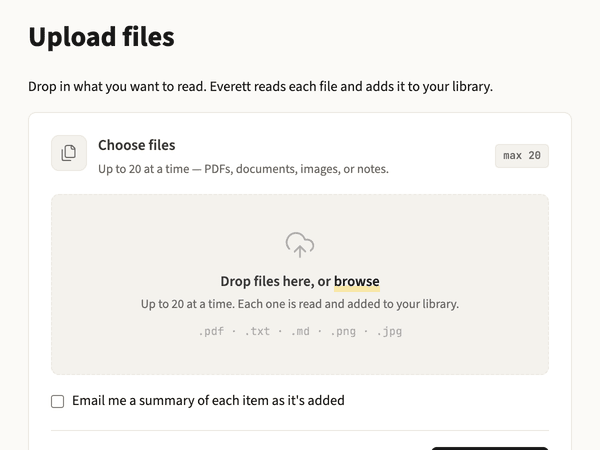
Bulk tools
Import multiple files at once. CSVs of webpages. OPML for blogs.
Everett connects all of this together.
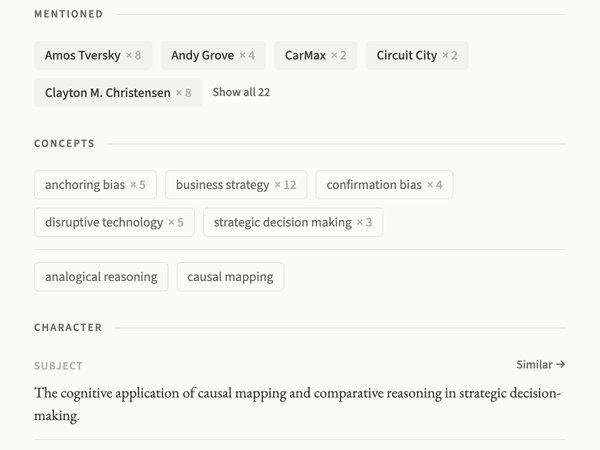
Ideas & more extracted
Every item gets analyzed for concepts, people, places, voice, subject, genre and more.
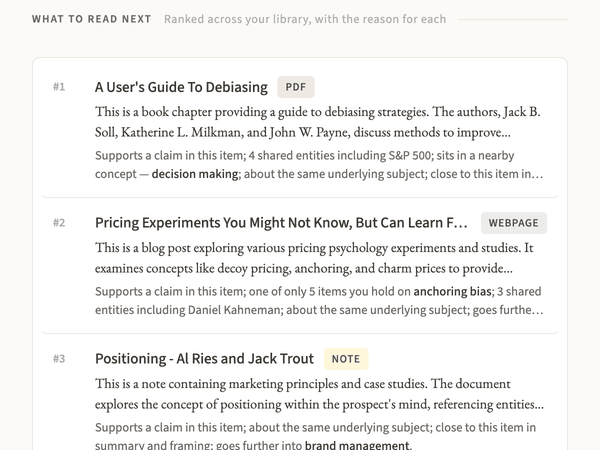
Related items
Everett explains the top connections for every item.
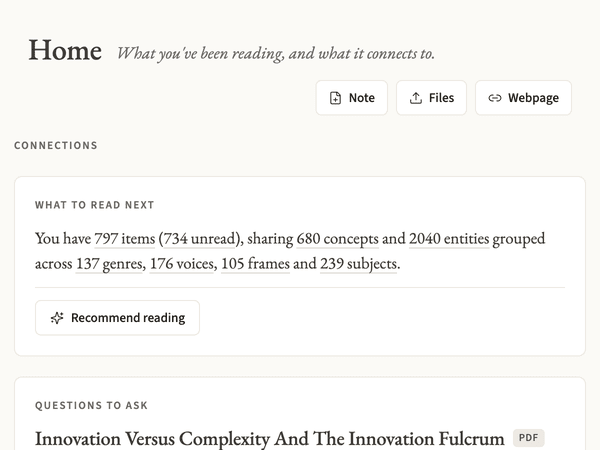
Endless novel exploration
Explore your library by concept, voice, frame, genre, subject and more.
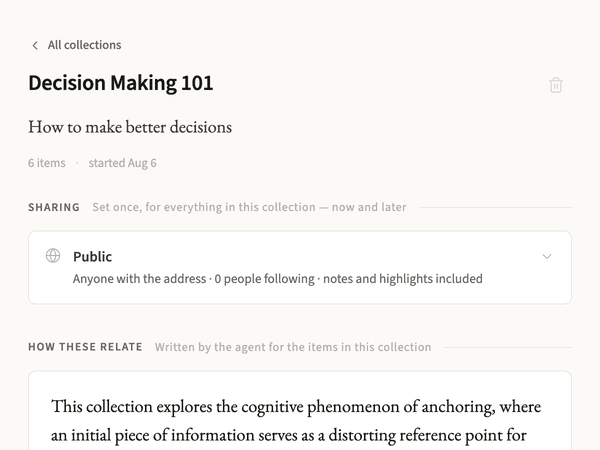
Shareable collections
Group items into shareable collections. You can put the same item into multiple collections.
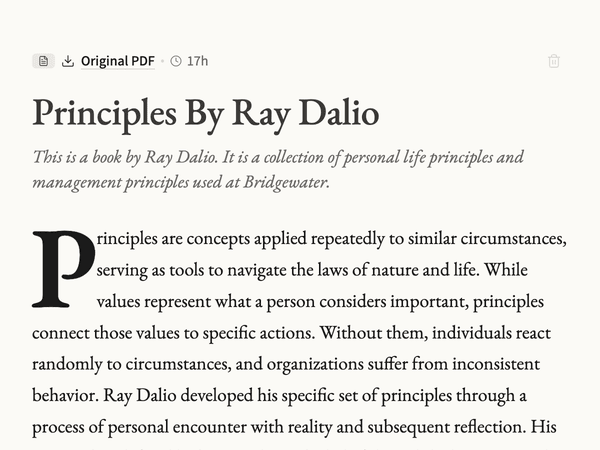
Item summaries
Everything you save gets a clean title, a memorable summary and a long form summary.
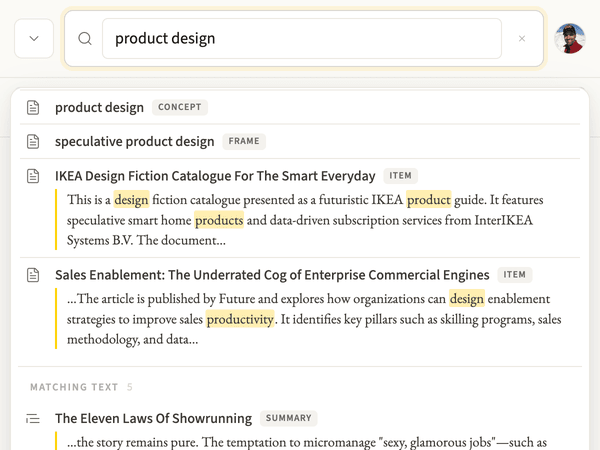
Really useful search
Search across everything — including those highlights, ideas and other dimensions — and even inside images.
So you can think better with all of it.
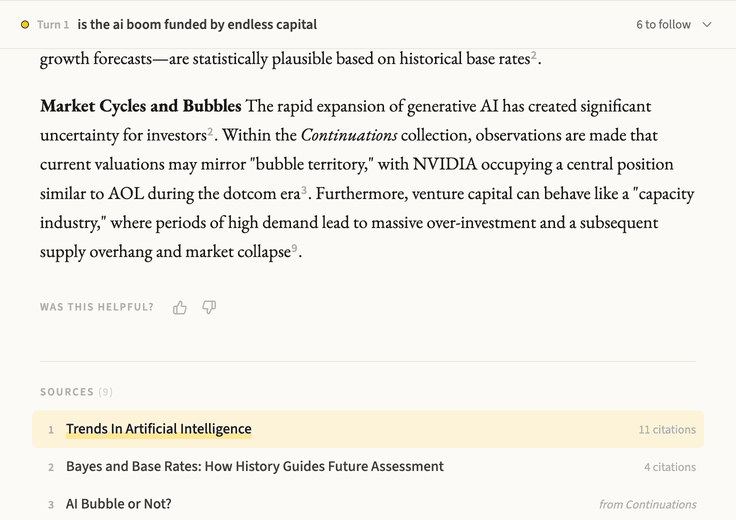
Cited answers
Ask questions and get answers cited from your items plus the blogs and Substacks you follow.
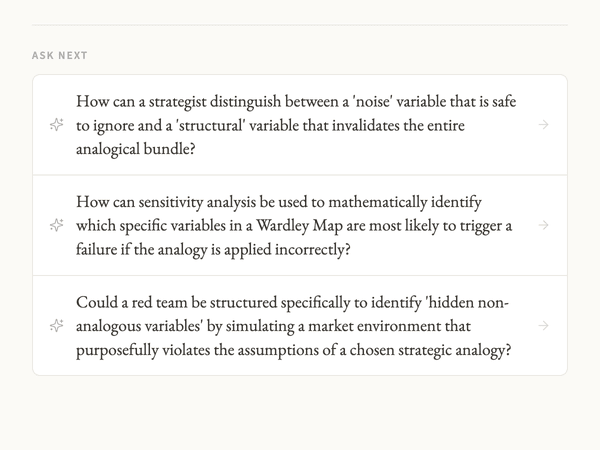
The next question
Every answer and every item suggests the next question to go deeper or broader.
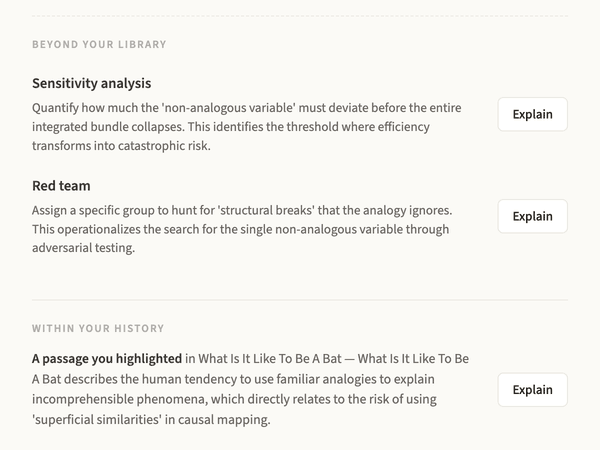
Adjacent ideas
See ideas adjacent to what you've collected and pull them into the conversation.
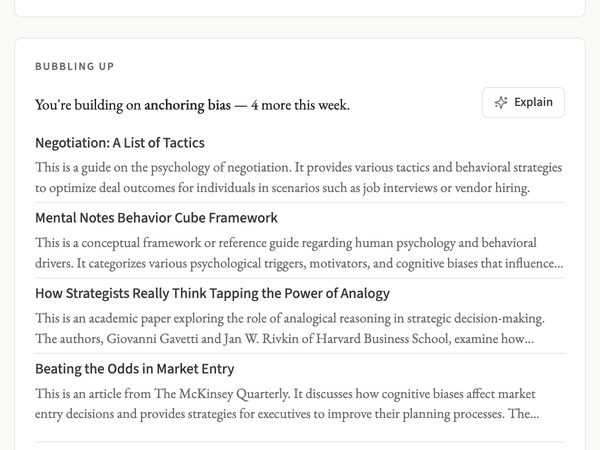
Insight cards
Cards show you how your saves are evolving and new connections forming.
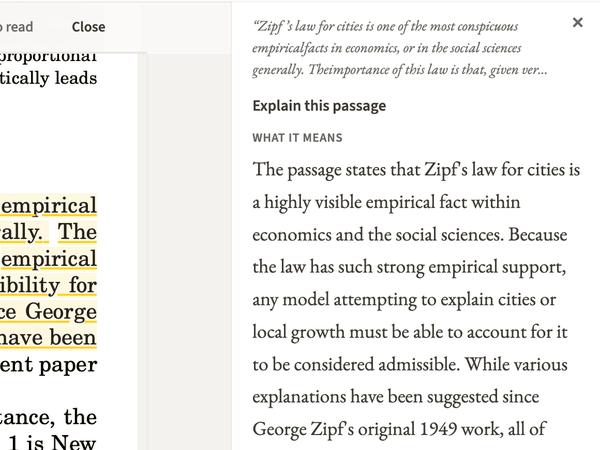
Instant explanations
Read items inside Everett and get inline explanations of tricky passages.
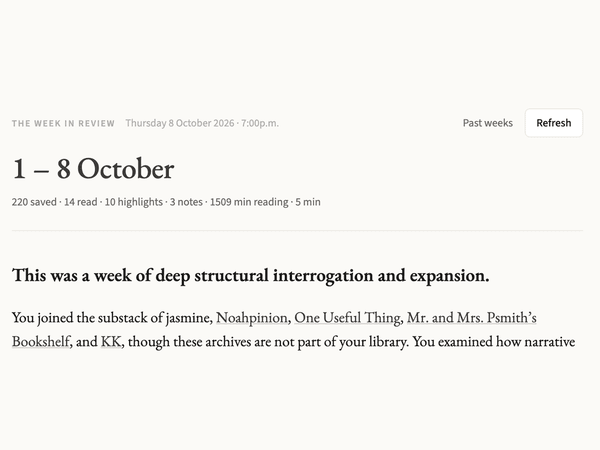
Week in review
Every Thursday you get a summary of your week's activity and recommended weekend reading.
If that looked interesting, let's get started.